CEPH
BUG
VM Gagal Booting karena RBD Lock Error di Ceph: "Invalid Argument"
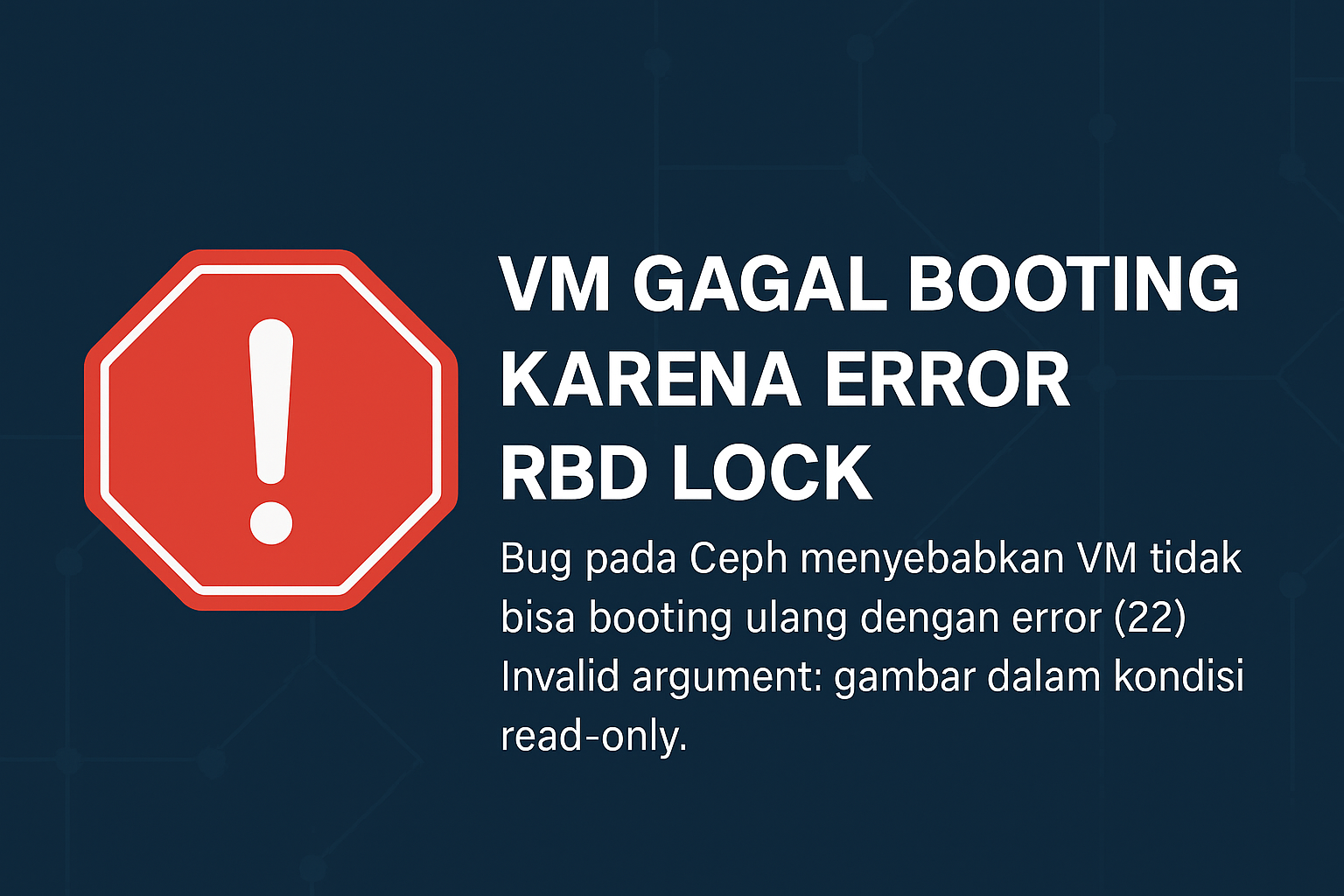
Dalam arsitektur virtualisasi berbasis Ceph RBD, fitur exclusive locking digunakan untuk memastikan hanya satu host yang bisa menulis ke disk image pada satu waktu. Namun, dalam kondisi tertentu — terutama saat host VM mengalami crash atau restart — image RBD bisa terkunci, dan host baru gagal mengambil lock.
Masalah ini menyebabkan VM tidak bisa booting, bahkan ketika tidak ada proses lain yang sedang mengakses image. Error ini berasal dari bug pada Ceph, khususnya saat mencoba melakukan blocklist terhadap pemilik lock sebelumnya.
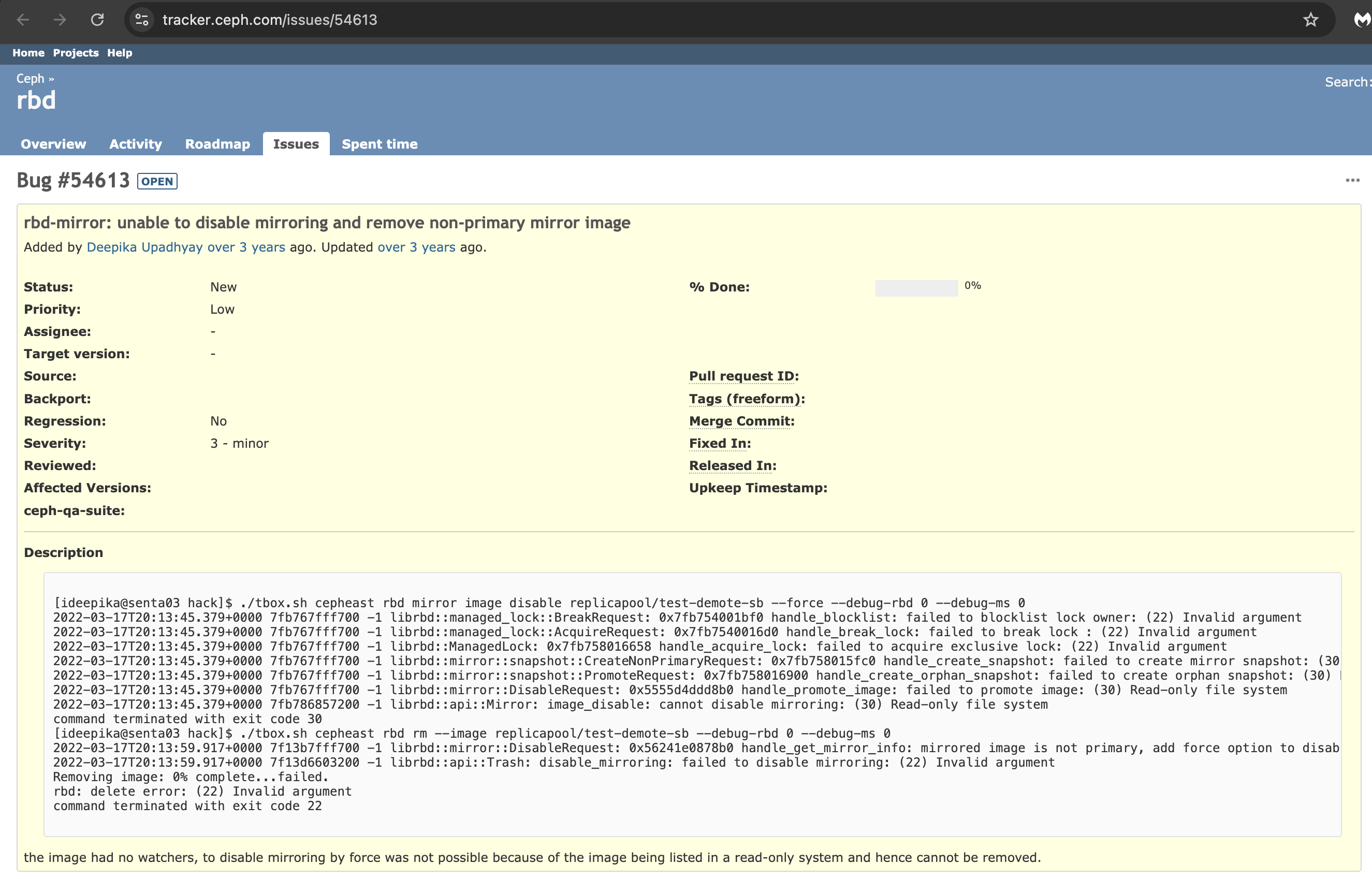
https://tracker.ceph.com/issues/54613
Use Case: High Availability VM Gagal Recovery
Lingkungan:
-
Storage backend: Ceph RBD
-
Hypervisor: Proxmox, KVM/libvirt, OpenStack
-
VM HA aktif (auto-restart saat crash)
Alur Kejadian:
-
Host A (pemilik lock sebelumnya) crash atau shutdown paksa.
-
Host B mencoba menjalankan ulang VM dari image RBD yang sama.
-
Ceph mencoba memutus lock yang lama, tapi gagal.
-
VM gagal booting dengan error
Read-only file system.
Cuplikan Log:
librbd::managed_lock::BreakRequest: failed to blocklist lock owner: (22) Invalid argument
librbd::ManagedLock: failed to acquire exclusive lock: (22) Invalid argument
qemu-kvm: Could not open image: Read-only file system
Penyebab : Salah Format Parameter expire
Untuk memutus lock, Ceph mengirim perintah ke monitor (MON) untuk melakukan blocklist terhadap alamat host sebelumnya. Parameter expire digunakan untuk menentukan durasi blocklist.
Namun, jika konfigurasi rbd_blocklist_expire_seconds diset selain 0 (misalnya 3600), Ceph (melalui librados) mengirim nilai expire sebagai string, seperti ini:
"expire": "3600.0" // ❌ Salah - stringSeharusnya:
"expire": 3600.0 // ✅ Benar - floatKesalahan format ini membuat monitor Ceph menolak command tersebut:
(22) Invalid argumentKarena proses blocklist gagal, Ceph tidak bisa memutus lock, dan image tetap dalam keadaan terkunci (read-only), meskipun tidak lagi diakses.
Workaround:
Power Off → Map/Unmap → Power On
Untuk mengatasi image yang terkunci tanpa menghapus lock secara paksa, langkah paling aman dan efektif:
Langkah Recovery
-
Power off VM
-
Map image RBD:
- Unmap image RBD:
-
Power on kembali VM
Langkah ini akan memaksa Ceph untuk mengambil ulang lock dengan cara bersih, asalkan memang tidak ada host lain yang masih aktif menggunakan image tersebut.
Fix Permanen
Untuk menghindari kegagalan lock seperti ini secara jangka panjang, tersedia dua pendekatan fix permanen yang dapat diterapkan:
Opsi 1 — Gunakan Nilai Default: rbd_blocklist_expire_seconds = 0
Cara termudah dan langsung adalah tidak menyetel nilai rbd_blocklist_expire_seconds secara manual, atau pastikan nilainya tetap 0 (default).
-
Ketika disetel
0, Ceph tidak akan mengirim fieldexpiredalam perintah blocklist. -
Ini menghindari bug serialisasi karena tidak ada parameter bermasalah yang dikirim.
Implementasi:
Aman digunakan di production, tanpa perlu rebuild atau patching.
Opsi 2 — Patch Source Code librados
Jika Anda memang membutuhkan fitur pengaturan expire secara fleksibel (misalnya untuk compliance), Anda bisa melakukan patch langsung di Ceph source:
-
Pastikan nilai
expiredikirim sebagai float dalam struktur JSON, bukan string. -
Bug ini biasanya berasal dari serialisasi Python, C++, atau binding CLI yang tidak memaksa format numerik murni.
Contoh pseudo-fix di patch C++:
Langkah ini:
-
Clone source Ceph
-
Ubah bagian kode yang membentuk JSON untuk command
osd blocklist -
Rebuild dan deploy binary yang sudah diperbaiki
Opsi ini lebih teknikal, cocok jika Anda menjalankan Ceph dengan kustomisasi berat atau ingin menyumbang upstream.
Dengan kedua opsi ini, Anda bisa memilih pendekatan yang paling sesuai antara stabilitas konfigurasi default (Opsi 1) atau fleksibilitas fungsional penuh (Opsi 2). Jika ingin menyumbang fix upstream, Opsi 2 juga bisa dikemas dalam PR resmi ke repositori Ceph.
Kesimpulan
Meskipun tampak sepele — hanya salah format angka — bug ini berdampak besar: VM tidak bisa di-recover secara otomatis, HA menjadi tidak efektif, dan downtime meningkat. Dengan memahami akar masalah dan menerapkan workaround yang tepat, Anda bisa menghindari intervensi manual yang lebih invasif seperti penghapusan paksa lock.
VM Boot Failure Due to Ceph RBD Lock Error: "Invalid Argument"
In Ceph RBD-based virtualization environments, the exclusive-lock feature ensures that only one host can write to a disk image at any given time. However, under certain circumstances—particularly after a hypervisor crash or unexpected shutdown—the RBD image may remain locked, preventing another host from acquiring ownership.
A known Ceph bug can cause this lock acquisition process to fail, resulting in virtual machines being unable to start even when no active host is using the image.
The Issue
When a VM is restarted on a different host after a failure, Ceph attempts to break the previous lock by blocklisting the former lock owner. Due to a bug in the blocklist command handling, this operation may fail with the following error:
librbd::managed_lock::BreakRequest: failed to blocklist lock owner: (22) Invalid argument
librbd::ManagedLock: failed to acquire exclusive lock: (22) Invalid argument
qemu-kvm: Could not open image: Read-only file system
As a result:
-
The old lock remains in place.
-
The RBD image becomes effectively read-only.
-
The VM cannot boot.
-
High Availability (HA) recovery mechanisms fail.
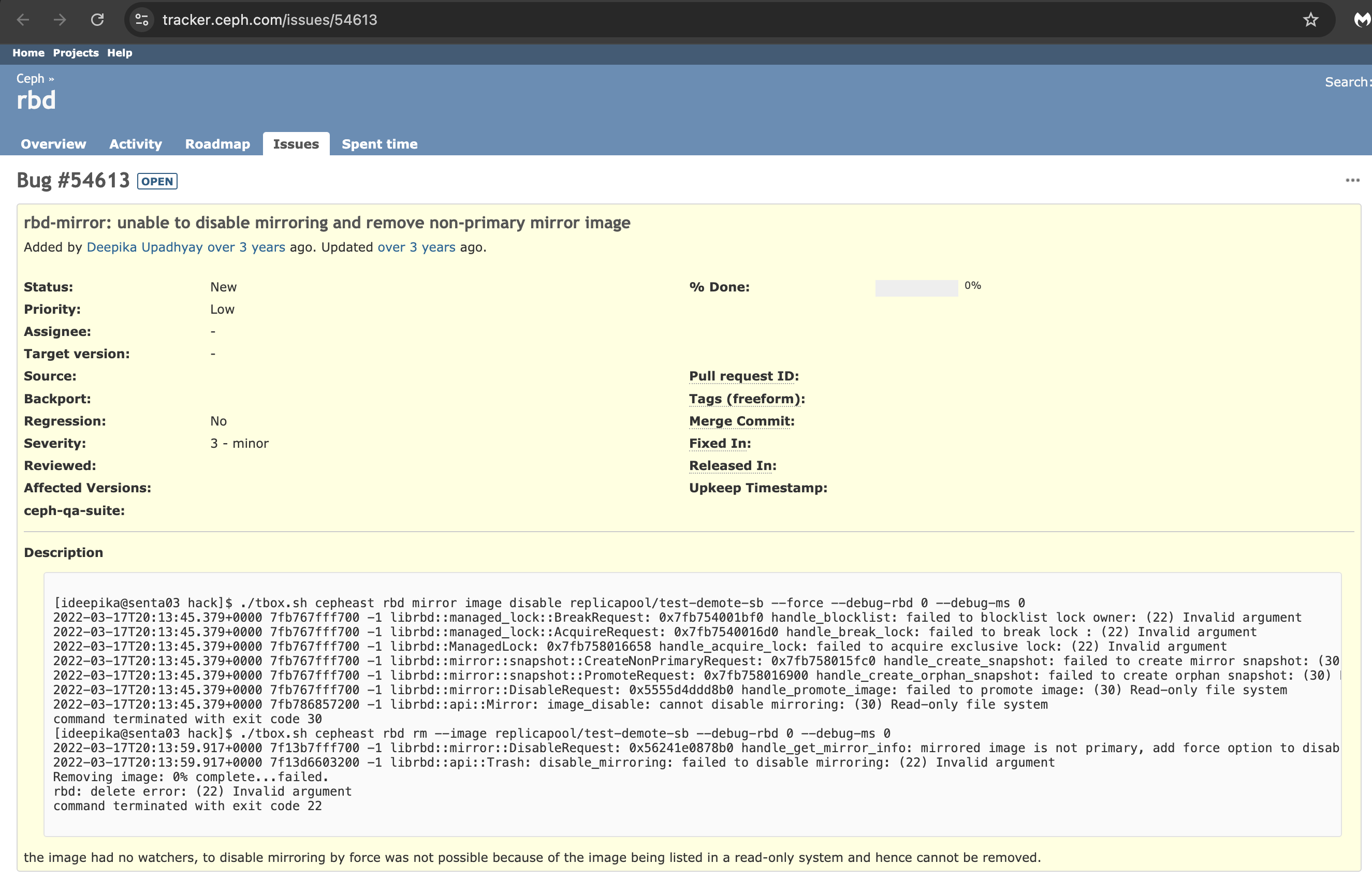
More details are available in the Ceph bug tracker:
https://tracker.ceph.com/issues/54613
Use Case: HA VM Recovery Failure
Environment
-
Storage Backend: Ceph RBD
-
Hypervisor: KVM/libvirt, OpenStack, Proxmox
-
High Availability (HA): Enabled
Failure Scenario
-
Host A, which owns the RBD lock, crashes or is forcefully powered off.
-
HA attempts to restart the VM on Host B.
-
Ceph detects the existing lock and tries to blocklist the previous owner.
-
The blocklist operation fails.
-
Host B cannot acquire the exclusive lock.
-
The VM fails to start.
Root Cause
The issue originates from the way the expire parameter is serialized when Ceph sends the blocklist command to the monitor.
When rbd_blocklist_expire_seconds is configured with a value other than 0 (for example, 3600), the parameter may be sent incorrectly as a string:
{
  "expire": "3600.0"
}
Instead of the expected numeric value:
{
  "expire": 3600.0
}
Since the monitor expects a numeric type, it rejects the command and returns:
(22) Invalid argument
Because the blocklist operation never completes, the previous lock cannot be broken and the image remains inaccessible for write operations.
Workaround: Power Off → Map → Unmap → Power On
A practical and relatively safe recovery method is to force Ceph to re-evaluate the lock ownership by mapping and unmapping the image.
Recovery Steps
Power off the affected VM.
Map the RBD image:
rbd map <pool>/<image>
Unmap the image:
rbd unmap /dev/rbd/<pool>/<image>
Power on the VM again.
This procedure often allows Ceph to reacquire the lock cleanly, provided that no other host is actively using the image.
Permanent Fix Options
Option 1: Keep rbd_blocklist_expire_seconds at the Default Value (Recommended)
The simplest and safest solution is to leave rbd_blocklist_expire_seconds unset or explicitly set it to 0.
When the value is 0, Ceph omits the expire field entirely from the blocklist command, avoiding the serialization bug.
Configuration example:
[global]
rbd_blocklist_expire_seconds = 0
Alternatively, remove the parameter completely and rely on the default behavior.
Advantages
-
No code changes required.
-
Safe for production environments.
-
Immediate mitigation.
-
Supported across standard Ceph deployments.
Option 2: Patch Ceph Source Code
For environments that require custom blocklist expiration values, the issue can be addressed by modifying the Ceph source code to ensure the expire parameter is always serialized as a numeric value.
Example pseudo-fix:
cmd["expire"] = static_cast<double>(expire_secs);
Instead of sending:
{
  "expire": "3600.0"
}
The command should send:
{
  "expire": 3600.0
}
Implementation steps:
-
Clone the Ceph source repository.
-
Locate the code responsible for constructing the blocklist command.
-
Modify the serialization logic.
-
Rebuild Ceph components.
-
Deploy the patched binaries.
This approach is suitable for organizations running heavily customized Ceph deployments or those interested in contributing a fix upstream.
Impact on High Availability
Although the issue appears minor—a simple type mismatch in a command parameter—the operational impact can be significant:
-
VM recovery fails during host outages.
-
HA mechanisms become ineffective.
-
Manual intervention is required.
-
Application downtime increases.
-
Automated failover reliability is reduced.
In production environments where VM availability is critical, this issue can directly affect service continuity and disaster recovery objectives.
Conclusion
A seemingly small serialization bug in Ceph's blocklist handling can prevent virtual machines from recovering after a host failure. Because the previous lock cannot be removed, the RBD image remains inaccessible for write operations, causing VM startup failures and undermining High Availability functionality.
Until a permanent upstream fix is available, keeping rbd_blocklist_expire_seconds at its default value (0) is the most practical mitigation. For affected systems, the map/unmap recovery procedure provides a safe workaround that avoids more invasive actions such as forcibly removing locks.
Understanding the root cause allows administrators to troubleshoot recovery failures more effectively and maintain reliable VM failover behavior in Ceph-backed virtualization environments.